Waveform
Drawing the waveform is the most direct form of audio visualisation we can use. For this we read the data of our sampled audio directly for each sample in time.
Let's quickly remember the difference between an analog signal and a digital one:
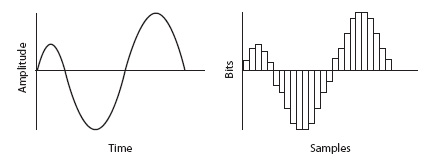
Our analog signal gets sampled in regular intervals (=sampling frequency) to become a digital signal. This is also called quantisation. In a CD Quality digital audio file a sampling frequency of 44.1kHz is used - that means that we are cutting every second into 44100 slices (samples) In order to draw the waveform as we listen to it, we are going to look at a group of these samples (=sample buffer).
Bear in mind, that it takes time to fill this sampling buffer. The larger your buffer, the longer your delay or latency will be. In our case, a buffer size of 512 samples takes 11.6ms (=1000ms/44100Hz* 512).
So let's get to it!
I'm going to use minim for this but you are free to use processing.sound as well. Simply add the via the library manager.
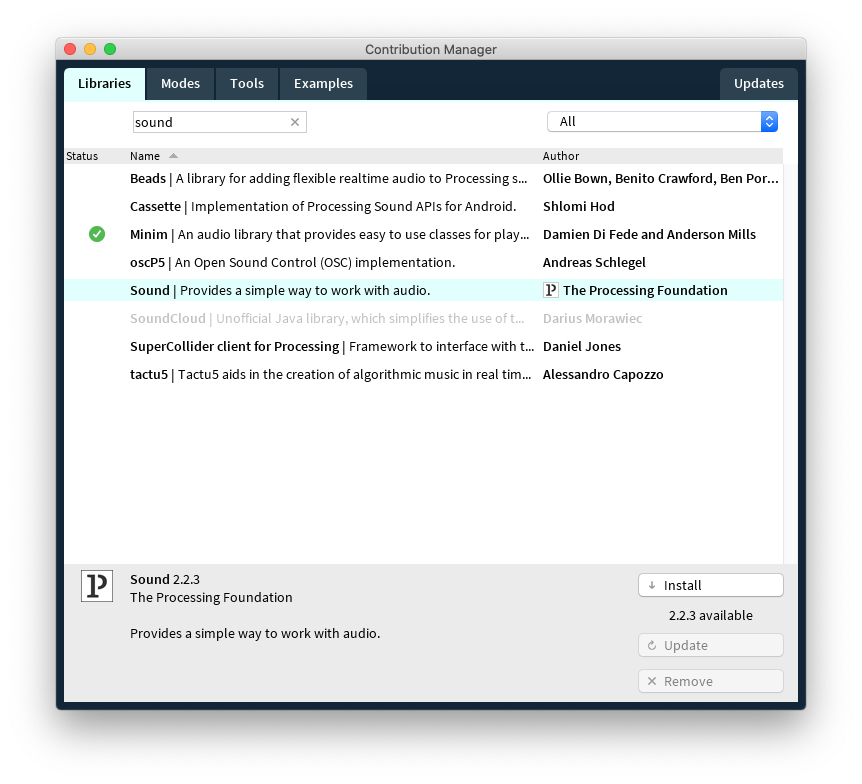
We can start out by looking at the waveform example that comes with the library and adapt it for our needs.
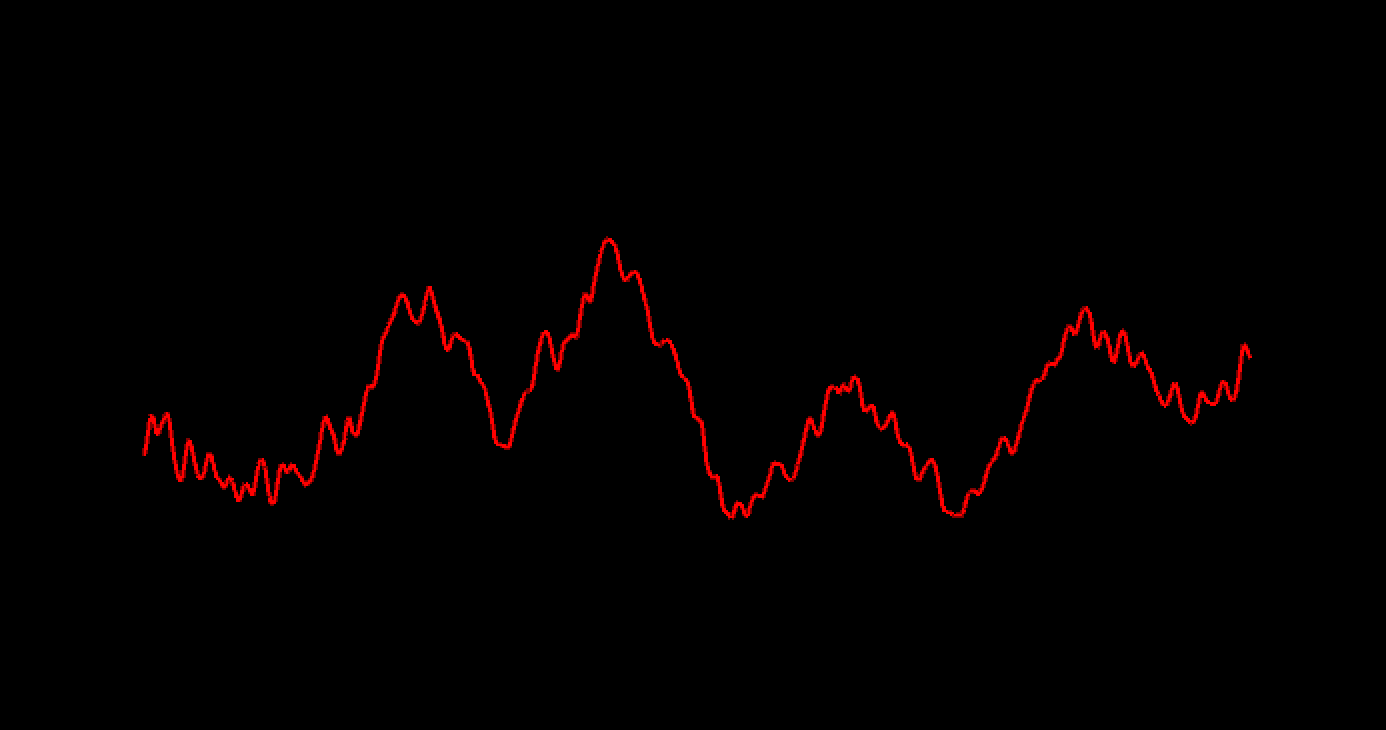
I am going to draw into 3D space so I also change my renderer to "P3D" and import the peasy library for simple camera navigation.
// 0. get minim & peasy
// 1. draw direct waveform from file

import ddf.minim.*;
import peasy.*;
Minim minim;
AudioPlayer player;

int lineWidth=600;
int bufSize=512; //the sample buffer size you want, >> the size of the left, right, and mix AudioBuffer fields of the AudioPlayer.

float ampFactor=250f;
String  musicfile="../data/beats.mp3";
AudioSource input;  // the source, could be the player or lineIn

PeasyCam cam;

void setup()
{
  size(800, 800, P3D);
  cam=new PeasyCam(this,1000);  // attention, peasycam sets 0,0 to center of canvas
  minim = new Minim(this);

  player = minim.loadFile(musicfile, bufSize);  // bufferSize == lineWidth
  player.play();
  input=(AudioSource)player;

}

void draw()
{
  background(0);
  translate(-lineWidth/2,0,0);// peasycam sets 0,0 to center of canvas

  noFill();
  strokeWeight(2);

  // draw single waveform, direct
  // --------------------------------------------------------------------------------------
  for(int i = 0; i < (bufSize-1); i++)
  {
    stroke(255,0,0); // red line
    float val1=input.left.get(i);
    float val2=input.left.get(i+1);

    float x1 = map( i, 0, bufSize, 0, lineWidth );
    float x2 = map( i+1, 0, bufSize, 0, lineWidth );

    line( x1,   val1  * ampFactor,
          x2,   val2  * ampFactor) ;
  }
  // --------------------------------------------------------------------------------------
}
Unknown Pleasure
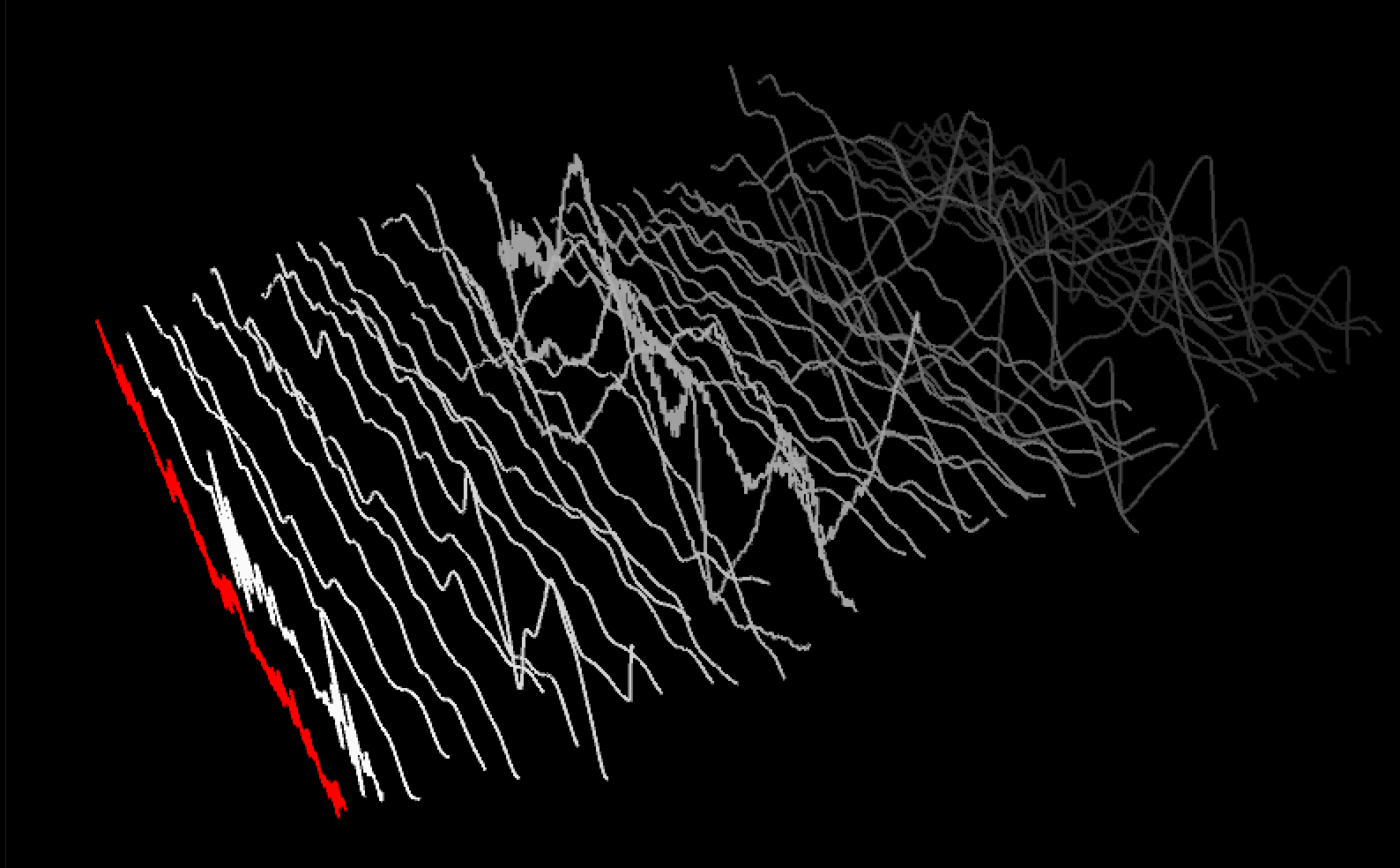
As a next step, we keep drawing the historical waveforms to get a better sense of development.
// 0. get minim & peasy
// 1. draw direct waveform from file
// 2. draw history (joydivision style)

import ddf.minim.*;
import peasy.*;
Minim minim;
AudioPlayer player;

int lineWidth=600;
int bufSize=512; //the sample buffer size you want, >> the size of the left, right, and mix AudioBuffer fields of the AudioPlayer.

float ampFactor=250f;
String  musicfile="../data/beats.mp3";
// float [] lineData; // 1. draw only one...

// draw historic waveforms --------------------
int numberOfWaveforms=50; // the amount of (historic) waveforms
float lineDistance=20;
float [][] lineData;  //

//------------------------------------------
boolean pause=false;

// for source switching
AudioSource input;  // the source, could be the player or lineIn

PeasyCam cam;

void setup()
{
  size(800, 800, P3D);
  cam=new PeasyCam(this,1000);  // attention, peasycam sets 0,0 to center of canvas
  minim = new Minim(this);

  player = minim.loadFile(musicfile, bufSize);  // bufferSize == lineWidth
  player.play();
  input=(AudioSource)player;
  lineData=new float[numberOfWaveforms][bufSize];
}

void draw()
{
  background(0);
  translate(-lineWidth/2,0,0);// peasycam sets 0,0 to center of canvas

  noFill();
  strokeWeight(2);

  // draw single waveform, direct
  // --------------------------------------------------------------------------------------
  for(int i = 0; i < (bufSize-1); i++)
  {
    stroke(255,0,0); // red line
    float val1=input.left.get(i);
    float val2=input.left.get(i+1);

    float x1 = map( i, 0, bufSize, 0, lineWidth );
    float x2 = map( i+1, 0, bufSize, 0, lineWidth );

    line( x1,   val1  * ampFactor,
          x2,   val2  * ampFactor) ;
  }
  // --------------------------------------------------------------------------------------

  // draw the historic waveforms
  // the values returned by left.get() and right.get() will be between -1 and 1,
  // so we need to scale them up to see the waveform

  if (!pause)
  {
    // advance the lineData, inefficient but straight forward ---------------------
    for (int i = numberOfWaveforms-1; i >0; i--) // from behind, to keep the most recent one at zero
    {
      lineData[i]=lineData[i-1];
    }

    // store new waveform data
    lineData[0] = input.left.toArray();
  }

  for (int i=0;i<numberOfWaveforms;i++)
  {
    stroke( max(40,255-255/numberOfWaveforms*i)); // color fadeout for older waveforms (always above 40)

    for(int j = 0; j < (bufSize-1); j++)
    {
      if (i==0) stroke(255,0,0); // newest is red
      float x1 = map( j,   0, bufSize, 0, lineWidth );
      float x2 = map( j+1, 0, bufSize, 0, lineWidth );
      line( x1,  ( lineData[i][j]   * ampFactor) , -i * lineDistance,
            x2,  ( lineData[i][j+1] * ampFactor) , -i * lineDistance);

    }
  }
}

void keyPressed()
{
  if (key=='p') pause=!pause; // pause rendering
  //if (key==TAB) switchSource();
}
Or go in circles...
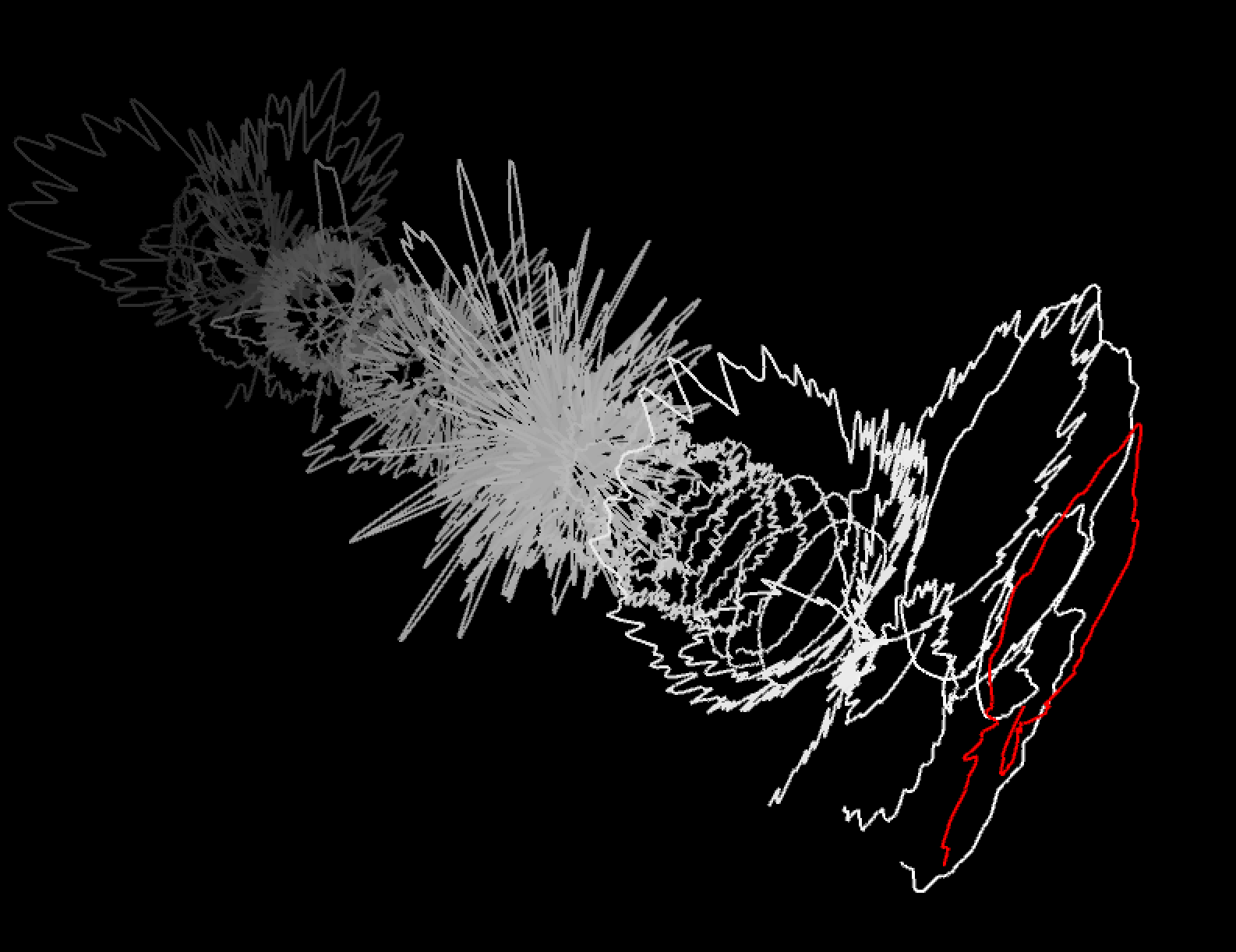
       // Circular drawing, requires to get rid of the initial translate
      float a1 = map( j,   0, bufSize, 0, TWO_PI );
      float a2 = map( j+1, 0, bufSize, 0, TWO_PI );
      float r1=( lineData[i][j]   * ampFactor)+50;
      float r2=( lineData[i][j+1] * ampFactor)+50;
      line(sin(a1)* r1 , cos(a1) * r1, -i*lineDistance,
           sin(a2)* r2 , cos(a2) * r2, -i*lineDistance);
Please, try to reproduce and understand the code in any framework you like
Adjust the visualisation until you are satisfied and until it works well with the audio you picked