Amplitude
RMS - root mean square
A basic but useful way of analyzing your audio stream is by it's amplitude (volume). Many times (eg in processing.sound, p5.js) when we speak of amplitude we are actually talking about the RMS level, which is how we experience the volume of a sound. This can sometimes be confusing, so its best to double check, and know what you need.
The original amplitude values (in the actual waveform) are between -1.0 and 1.0. But the RMS will always be positive, because it is squared.
Just as a reference of how you would calculate it (eg in Unity) - pseudo code:
for (i = 0; i < numSamples; i++)
{
sum += samples[i] * samples[i]; // sum of squared samples
}
RmsValue = Math.Sqrt(sum / numSamples); // RMS = square root of average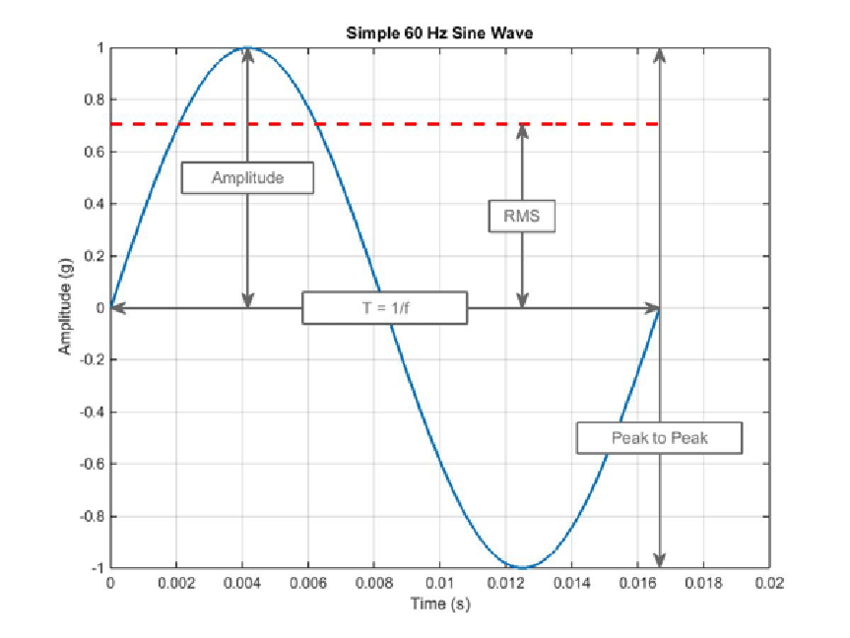 RMS is an average over time (eg 1024 samples), which better represents how we hear amplitude.
Amplitude perception is logarithmic
Furthermore, human amplitude perception is base on a logarithmic scale - eg. a amplitude value of 0.1 is half as loud as a level of 1.
This is why we often measure RMS in dB which takes that into account.
dB_value= 20 * (Math.log(lin_value) / Math.LN10);
There's no need for you to understand the math behind it. Just know, what to use when ;)
For Processing we have 2 main library choices:
- processing.sound: the official sound library, with only very basic features
- minim: advanced but maybe not very beginner friendly
(In Unity you have GetOutputData that you can use to calculate the RMS)
Processing.Sound:
You can easily install the processing.sound library via sketch>import library>add library. In the examples you will find a sketch that makes it obvious that the Amplitude() class provides already rms values that we can use right away.
import processing.sound.*;

SoundFile sample;
Amplitude rms;

// Declare a smooth factor to smooth out sudden changes in amplitude.
// With a smooth factor of 1, only the last measured amplitude is used for the
// visualisation, which can lead to very abrupt changes. As you decrease the
// smooth factor towards 0, the measured amplitudes are averaged across frames,
// leading to more pleasant gradual changes
float smoothingFactor = 0.25;

// Used for storing the smoothed amplitude value
float sum;

public void setup() {
  size(640, 360);

  //Load and play a soundfile and loop it
  sample = new SoundFile(this, "beat.mp3");
  sample.loop();

  // Create and patch the rms tracker
  rms = new Amplitude(this);
  rms.input(sample);
}

public void draw() {
  background(125, 255, 125);
  noStroke();
  fill(255, 0, 150);

  // smooth the rms data by smoothing factor
  sum += (rms.analyze() - sum) * smoothingFactor;

  // rms.analyze() return a value between 0 and 1. It's
  // scaled to height/2 and then multiplied by a fixed scale factor
  float rms_scaled = sum * (height/2) * 5;

  // We draw a circle whose size is coupled to the audio analysis
  ellipse(width/2, height/2, rms_scaled, rms_scaled);
}
Please, try to reproduce and understand the code in any framework you like