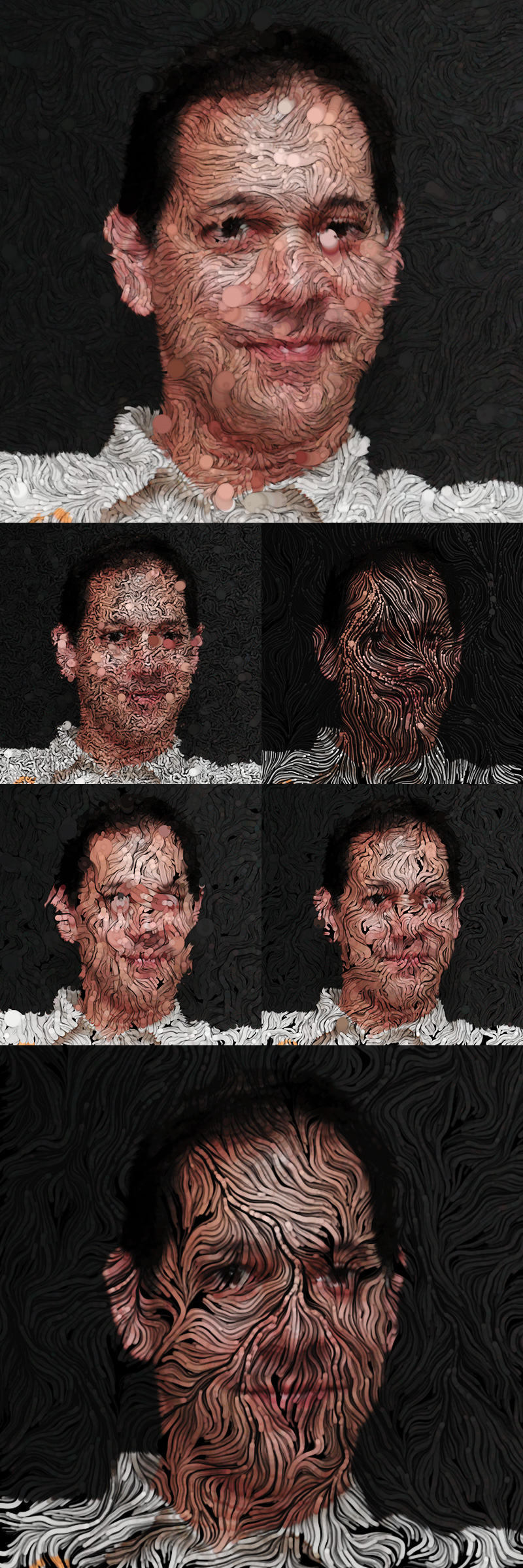
Noise Portrait
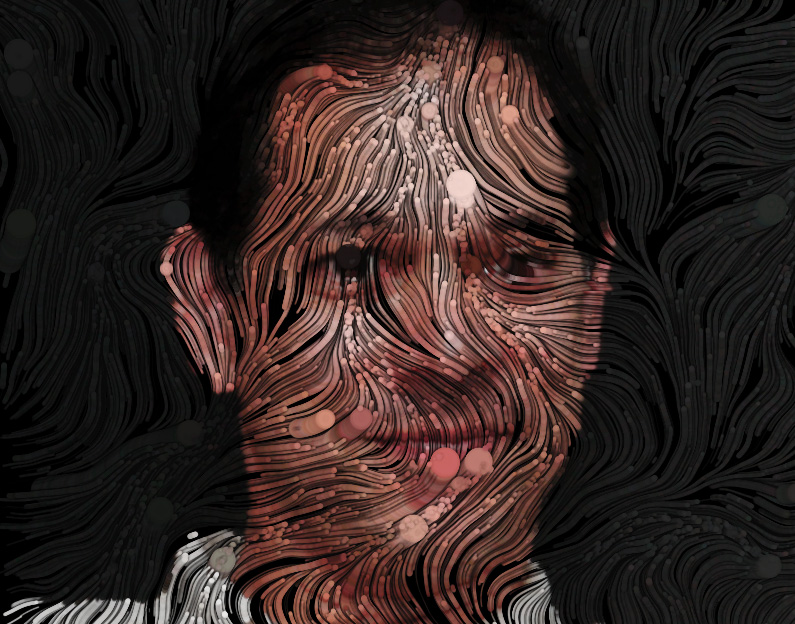
Now we are going to use this technique to reaveal (draw) an underlying picture. This basically means that we add a direct control of the drawing color based on its pixel values.
In my case I let the agents draw their own master (Ken Perlin).
We first need to load the image. We can use Processing's PImage datatype to store bitmap information and load it with loadImage(). We then can access the color of each pixel with PImage.get(x,y).
PImage portrait; // the "underlying" image,// load image into datatype
portrait = loadImage("image.jpg");// look up color at a coordinate
color c = portrait.get(posX,posY));
Tip:
- If you don't want to deal with paths to your assets you can simply create a "data" folder within your sketch folder and put the image file there. That way your assets remains a part of your sketch. Then you can access it without a path.
- use an image with the same size as your canvas to make the look up easier
You now have everything you need - please try it without looking at my code first! :)
Exercise: Noise Portrait (mandatory for everyone)
- Create your own noise portrait based on a photo of yourself
- Tweak and modify until you are happy with your result
- Upload your result as a 800x800px image and post it in the Class03 channel
Basic Code
The (basic) code for the agent:
public class Agent
  {
    public PVector pos;
    public PVector speed;
    public float angle;
    public float size=1f;

    public Agent(PVector _pos, PVector _speed)
      {
        pos=_pos;
        speed=_speed;
        size=random(0.01f,6f); // variations in size
      }

    public void tick()
      {
         pos.add(speed);

       // RESET ----------------------------------------------------------------------
       if (pos.x>=width || pos.y>=height || pos.x<=0 || pos.y<=0 )
           {
             reset();
           }
        angle=noise(pos.x/noiseDivi,pos.y/noiseDivi)*2.0*PI;
        float m=2.0f; //length of the speed vector
        speed=new PVector(sin(angle)*m,
                          cos(angle)*m
                           );
        }

    public void reset()
    {
      pos.x=random(0,width);
      pos.y=random(0,height);
    }

  }
and the code for the main sketch, that spawns and draws the agents:
int numAgents=2000;  // the amount of drawing agents
Agent[] agents=new Agent[numAgents];
float noiseDivi=180f; // adjusting the noisefield, detail level
PImage portrait;  // the "underlying" image,

void setup()
{
     size (800,800);
     smooth(8); // forcing antialiasing
     background(0);

     // initializing our agents
     for (int i=0;i<numAgents;i++)
     {
         PVector pos=new PVector(random(0,width),random(0,height),0);
         PVector speed=new PVector(random(-2,2),random(-2,3),random(-2,2));
         agents[i]=new Agent(pos,speed);
     }
     portrait=loadImage("kenperlinC.jpg"); // for easy setup the images has the same size as the canvas (800x800)
     // the image is in the /data folder inside your sketch folder
}

void draw()
{
   for (int i=0;i<numAgents;i++)
   {
     agents[i].tick();
     // pick the color from the image at the current position
     color c=portrait.get(int(agents[i].pos.x),int(agents[i].pos.y));

     pushMatrix();
           translate(agents[i].pos.x,agents[i].pos.y); // position of the agent
           // I draw outlines, to give better definition to the noise lines
           stroke(0,0,0,20);
           strokeWeight(6);
           float circleSize=abs(agents[i].size);

           // draw the circle in the color picked from the portrait image
           fill(c,90);
           circle(0,0,circleSize);
     popMatrix();
   }

}

void keyPressed()
{
   if (key == 's')
   {
     saveFrame("perlin-######.png");
   }
}

void mousePressed()
{
  background(0);
  noiseSeed(frameCount*100);
  for (int i=0;i<numAgents;i++)
  {
      agents[i].reset();
  }
}
Here are a few examples of results with additional control of size and movement...